Why your internet speed test results may vary
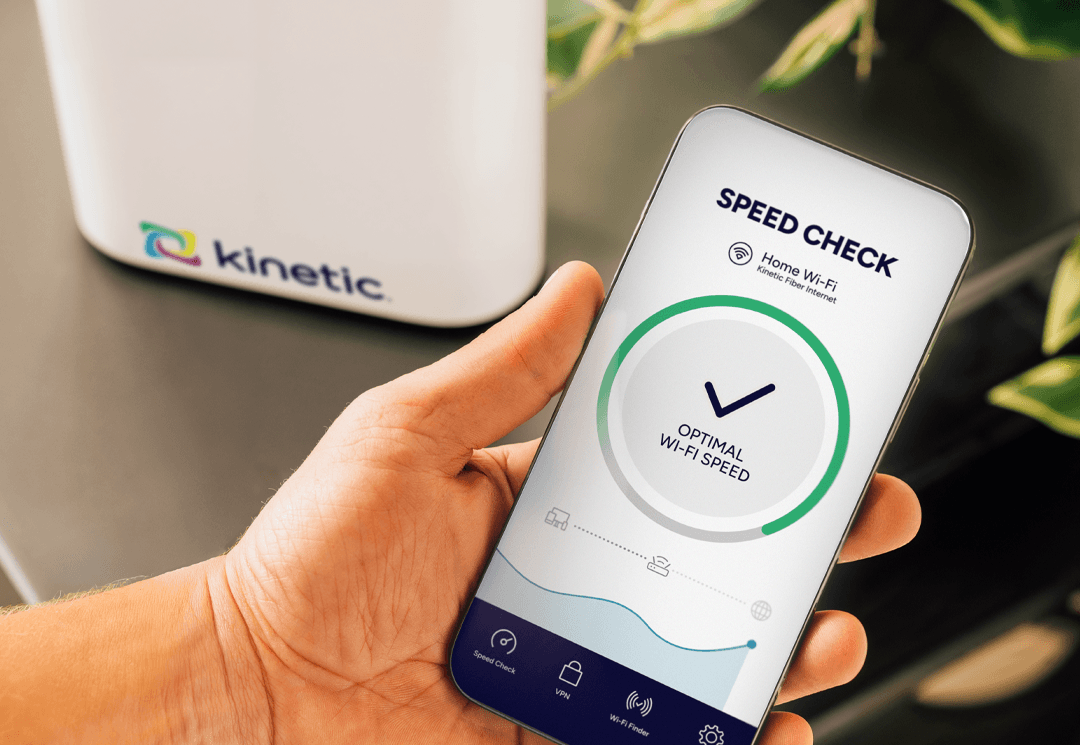
Why your internet speed test results might not match your plan
by Jeff Austin, EVP of Network Operations
You just ran a speed test, and the number staring back at you doesn't quite match what your internet plan promised. Before you start troubleshooting your connection, make sure you’re getting the whole picture.
Speed tests are helpful tools, but they're measuring a complex system with a lot of moving parts. Your results can shift based on dozens of factors, from what device you're using to how far away the test server is located.
When you understand what's being measured, and why those numbers fluctuate, you can get a clearer picture of your internet performance and know when there's actually a problem worth troubleshooting.
So, let's break down how speed tests work, what can affect your results, and how to get the most accurate reading of what your connection is really doing.
What internet speed tests measure
When you run a speed test, you're getting a snapshot of your connection's performance at that exact moment. Here's what those numbers mean:
Download speed measures how quickly data travels from the internet to your device. This affects how fast web pages load, how smoothly videos stream, and how quickly you can download files. It's typically the biggest number you'll see on a speed test.
Upload speed measures the opposite — how quickly data moves from your device to the internet. This matters when you're working from home, video conferencing, uploading photos to the cloud, posting on social media, or sending large email attachments. Fiber supports equal upload and download speeds, but with cable and DSL connections, your upload speeds are typically much lower and not symmetrical.
Ping (also called latency) measures how long it takes for a signal to travel from your device to a server and back again. Lower ping times mean more responsive performance, which is especially important for online gaming, video calls, and anything that requires real-time interaction.
Jitter tracks the variation in your ping over time. Consistent ping times are ideal. High jitter means your connection is less stable, which can cause choppy video calls or laggy gaming.
Packet loss happens when bits of data don't make it to their destination, and the network has to resend them. Even small amounts of packet loss can cause noticeable problems, like frozen video frames or garbled audio on calls.
Why your speed test results change
Even on the same internet plan, your speed test results can vary significantly from one test to the next. Here's what's influencing those numbers:
Wi-Fi vs. ethernet connection
This is the single biggest factor in most homes. Wi-Fi is convenient, but it's also susceptible to interference from walls, other devices, neighboring networks, and even microwaves. The farther you are from your router or gateway, the weaker your signal gets.
Testing over an ethernet cable gives you a direct line to your router, eliminating Wi-Fi variables and showing you what your connection is truly capable of. If you're seeing disappointing Wi-Fi speeds but strong ethernet speeds, your internet service is probably fine. You just need to optimize your Wi-Fi setup.
Your devices
An older laptop, phone, or tablet may not be able to handle the full speed of your connection. Devices have different Wi-Fi capabilities. Some can only connect on the 2.4GHz band (which is slower but reaches farther), while newer devices can use the faster 5GHz band.
Your device's processor, available memory, and what else is running in the background also affect test results. A phone with a dozen apps open won't perform the same as one that's freshly restarted.
Network congestion and time of day
Internet traffic ebbs and flows throughout the day, and depending on the type of internet service you have, that can make a big difference in speeds.
During peak hours, typically evenings when everyone's streaming, gaming, and video chatting, cable and DSL connections might see slower speeds as more people in the neighborhood use the network simultaneously. (Fiber doesn’t have this problem.)
This applies both in your home (multiple devices competing for bandwidth) and on the broader network level. Testing at 3 a.m. versus 7 p.m. can yield very different results.
Test server location and quality
Speed tests work by connecting to a server somewhere on the internet, and the distance between you and that server matters quite a bit. Data traveling 50 miles will generally perform better than data traveling 500 miles.
Different speed test tools also use different server networks and testing methodologies, which is why you might get different results from different testing sites. The quality and capacity of the server itself can also be a limiting factor.
Background activity
If your device is updating software, backing up photos to the cloud, or streaming music in another tab, those activities consume bandwidth and will affect your test results. The same goes for other devices on your network. If someone's gaming on the Xbox while you're testing, you won't see your full available speed.
Your router's age and capability
Even if your internet connection is lightning fast, an older router might bottleneck your speeds. Routers have maximum throughput limits, and older models simply can't handle gigabit speeds even if your plan supports them. Modern routers like eero offer WiFi 7, the very latest technology for blazing fast performance.
How to get accurate speed test results
Want to see what your connection is really doing? Follow these best practices:
Use an ethernet connection. Plug directly into your router with an ethernet cable to eliminate WiFi variables and get the clearest picture of your actual internet speed.
Close background applications. Shut down any programs or browser tabs that might be using bandwidth. Pause cloud backups, stop downloads, and make sure no one else on your network is streaming or gaming.
Test multiple times. Run several tests at different times of day to get a more complete picture. One test is a snapshot. Several tests show you patterns.
Try different test sites. Use a few different speed test tools to compare results. Popular options include Speedtest.net, Fast.com, and your internet provider's own speed test tool.
Restart your device and router. A fresh start clears out temporary glitches and gives you the cleanest testing environment.
Test from different devices. If possible, run tests from multiple devices to see if slow results are connection-related or device-specific.
Why fiber delivers more consistent speeds
The type of internet connection you have fundamentally affects both your maximum speeds and how consistent those speeds remain.
Fiber optic internet — like what Kinetic provides — offers distinct advantages over traditional cable or copper (DSL) connections.
Fiber uses light signals traveling through glass cables, which aren't susceptible to electrical interference and don't degrade over distance the way copper cables do. So your speed stays consistent whether you're close to the network hub or farther away.
Cable internet shares bandwidth among multiple users in your neighborhood, which is why you might notice slower speeds during peak hours when everyone's online. Fiber networks are designed with dedicated bandwidth that doesn't fluctuate based on your neighbors' usage.
Fiber also typically offers symmetrical speeds, meaning your upload speed matches your download speed. With cable or DSL, upload speeds are often a fraction of download speeds, which can bottleneck activities like video calls and cloud uploads.
Still, your actual experience comes down to your fiber internet provider. Kinetic's 100%¹ fiber service delivers 99.9%² reliability with consistent performance that doesn't slow down during peak times.
What this means for you
Speed test results that don't match your plan speed aren't necessarily a red flag. Wi-Fi limitations, device capabilities, network congestion, and testing conditions all play a role in what numbers you see.
If you're consistently seeing significantly lower speeds even when testing under ideal conditions (ethernet connection, no background activity, off-peak hours), that's worth investigating further. But occasional variations are just a normal part of how the internet works.
That said, having a reliable fiber connection as your foundation means you're starting from the strongest possible position. Kinetic offers reliable, future-proof fiber, with speeds of up to 2 Gigs, for a solid connection you can count on.
Explore Kinetic's fiber internet plans and Internet better.™
¹ 100% Fiber excludes some multitenant units.
² 99.9% Service Availability: As measured by Kinetic from March 2023 to January 2025, Kinetic service reliability is calculated by dividing Available Customer Hours by Total Customer Hours, excluding planned maintenance, emergencies (like hurricanes, winter storms, floods), and other uncontrollable events.